This post was written by guest blogger Adam James. Please feel free to post any questions or comments for him on this blog.
-------------------------------------------------
Modifying RegRipper to automatically run against a selected mounted drive.
When using RegRipper I began running into user to computer interface problems. Namely, for some reason I would select a hive file to process, but forget to tell RegRipper what plugin file to use against it. After doing this several dozen times and having to rerun the reports after realizing I had done it, I started thinking about ways to modify RegRipper to alleviate my obvious “stupid” user issues. I figured since I can’t remember to select the plugin types I want, why can’t the program just throw all the available plugins against the hive and determine which ones should work against it. Then that got me thinking… for that matter why am “I” having to know where all these registry hives are at. I have to extract them from an image, remember where I took them from, and then run RegRipper against each one. That is way too much work. I wish RegRipper would just do that all for me so I can do what I really care about, look at the great output from the program.
To accomplish this task there were a couple of problems that needed to be solved. The rest of this post will be about how a proof of concept that I did solved these problems.
Problems:
1.RegRipper is intended to only run plugins against a single and specified type of registry hive. The plugins can be run against any single hive it is just not likely that any of the key value pairs will be successfully foundoHow if it is not of the correct type.
2.RegRipper expects the user to know the location of each registry hive that needs to be processed.
Potential Solutions:
1.Modify RegRipper to allow the user to select one or more registry hives. Have RegRipper attempt to determine each hive’s type and then run only the plugins that are intended for that hive against it.
This is pretty easy… right? All we need to do is (a)come up with some code to determine a hive file type, (b)programmatically determine what hive type a plugin is supposed to run against, (c)allow the user to select multiple hives, and then (d)iterate through all of the hives. That doesn’t seem too bad.
a.To determine the hive type, Harlan has already provided us with code in rip.pl that tries to guess the hive type, so that is done, we just need to add it to RegRipper. For my proof of concept I came up with a similar way, I just used different keys. (starts at line 563 of code)
b.To determine the hive each plugins should be run against the basic design of the RegRipper could be used. In each plugin the developer can specify what hive types the plugin should be run against. You could just pull the %config=>hive value from the plugin and use that. When reviewing the plugins I noticed that some could be potentially run against multiple hive types. I figured to keep closer to the current user experience it might be a better idea to still allow users to create their own plugin files, so I came up with my own format. Instead of putting just the plugin name in the plugin file, place the hive type you want to run it against in front of it. ie: “system:usbstor”. I had to modify the main RegRipper code to parse the new plugin file format, and also keep it backward compatible with the current plugin file format. (starts at line 434 of the code)
c.To allow the user to select multiple hive files an additional perl module is required. I used the FileOp::OpenDialog which allows the user to select multiple files. (line 251 of the code)
d.Since selecting multiple files with the OpenDialog returns an array of file names looping through them is easy to implement. (line 267 of the code)
So the first problem has been successfully solved and I no longer have to remember to change the plugin file type each time I run RegRipper against a new hive. As a side benefit I can run RegRipper against all of my exported hive files all at once if I want to also. Now on to the next problem.
2.Modify RegRipper to allow it to be run against a mounted drive. Have the program find all of the relevant hive files on the system and process them in a systematic manner.
Now this one looks a little more difficult… maybe? Ok, so we need to (a)allow the user to select a drive letter to run against, (b)grab the basic hive files from windows\system32\config, (c)parse the software hive for a list of profiles and grab the NTUSER.DAT file for each profile, (d)then iterate through all of the identified registry files. Shouldn’t be too tough, I guess.
a.To allow the user to specify running RegRipper against a mounted drive I added a checkbox to the GUI. When this box is checked the BrowseForFolder option from the FileOp perl module is used. (line 605 of the code)
b.Grabbing the basic hives from the mounted drive is a little more difficult than it first looks. Sure the standard location is C:\Windows\System32\config. I first tried this, but when running it on actual cases ran into some issues. Seems some of our corporate clients for some reason have created their own golden images that put the %systemroot% at somewhere other than C:\Windows such as C:\Win.
Now this creates a little bit of an issue, as it messes up what should have been an easy step. To resolve this on Windows XP the %systemroot% can be determined from the boot.ini file in a fairly straightforward manner. (starts at line 639 of the code) To resolve this issue in Vista and beyond is a little more difficult. The boot configurations are now stored in a registry hive called the BCD. So you have to parse the GUID and element key/value pairs to get the value that specifies the %systemroot%. (starts at line 614 of the code) If you want to replicate what is in the code I provided a link at the end of this post that should provide the relevant information about the BCD.
Lastly I tossed in some extra code just in case the boot.ini and BCD registry hives can’t be found to default to windows\system32\config. Cause it never hurts to try if nothing else was found.
c.To determine the profiles on the system Harlan has already provided the code in the profilelist plugin. I used a modification of that code to grab all of the NTUSER.DAT files. (starts at line 690 of the code).
d.The issue of iterating through multiple hive files was solved in the previous problem. For this I just had to make sure each hive file found was placed in an array to be processed. (line 267 of the code, again)
For me the proof of concept works. It is definitely a rough cut in my opinion, but the source is all there and this post explains the process if anyone wants to make improvements. I am not totally sure I really like the output file that this proof on concept results in, but it is a start. Drastically changing the output options of RegRipper is probably a more difficult undertaking than making it run against a mounted drive, so it may not be worth it.
Links
http://regripper.net/?page_id=150 (download the code)
http://search.cpan.org/~jenda/Win32-FileOp-0.14.1/FileOp.pm
http://ezinearticles.com/?Windows-Vista-Boot-Process-Overview&id=794745
http://www.geoffchappell.com/viewer.htm?doc=notes/windows/boot/bcd/index.htm&tx=5


 Start with the first group,
 The next group is

 For "What you share", click on Learn More and you'll see an info screen. Click the link in the very last sentence or just
 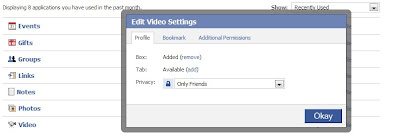 Also, on the top right of this screen there is the drop down box labeled "Show". Make sure you go through all of those screens so that you don't miss any applications.